 Real example
Move your photo to a sunset beach
Your photo with the background swapped for a sunset beach, light matched to you.
Make it yours
Viral trend
The background change trend keeps you exactly as you are and swaps only what is behind you: a sunset beach, a plain studio, a city at night or a flower garden. The key is matching the light and shadows so the result doesn't look pasted on.
Real exampleYour photo with the background swapped for a sunset beach, light matched to you.
 Real example
Your photo on a clean, plain studio backdrop, ready for a profile or a print.
 Real example
Your photo with a glittering city skyline at night as the new background.
 Real example
Your photo moved into a soft, blooming flower garden.
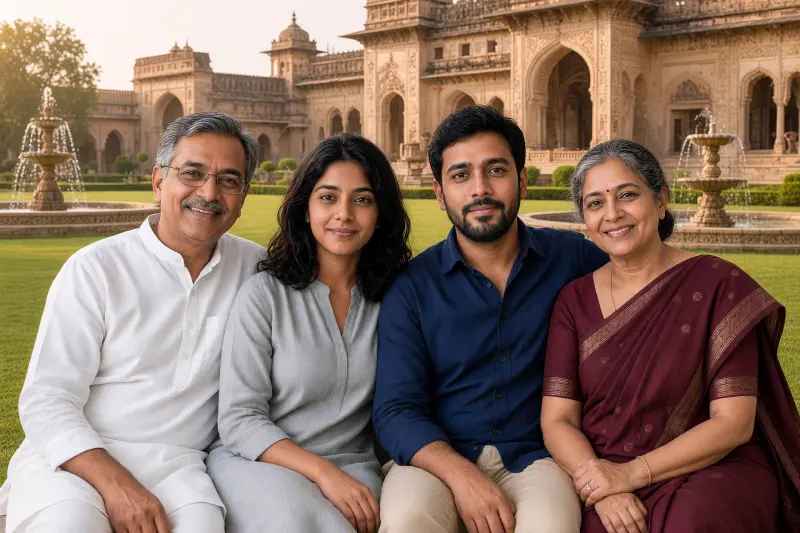 Real example
Your family photo placed on a grand palace lawn, light and shadows matched.
A good photo of you can be ruined by a messy or dull background. Changing just the background is one of the most useful everyday edits, for profile pictures, invitations and prints.
Use your own photo or photos of people who have agreed. Don't use background changes to make it look like someone was somewhere they were not, especially for official or legal purposes.
Usually the light or shadow direction doesn't match. Set the sun side in Customise to match your original photo.
It shouldn't. Every prompt says to change only the background; ask again if anything else changes.
Yes. One prompt moves a family photo to a palace lawn.