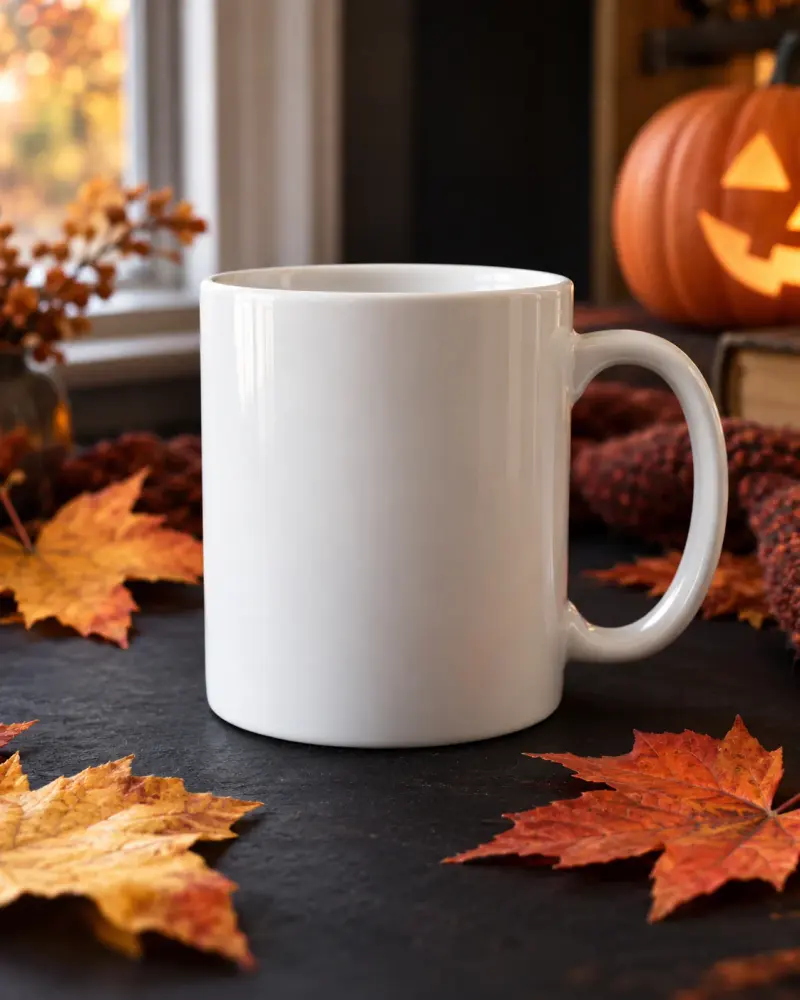
Halloween product styling brief for a real item
A prop and lighting brief that keeps the product’s real features intact. Paste this prompt into ChatGPT, Gemini, Claude or Grok, change the parts in brackets to suit you, and generate.
- Written for
- ChatGPT, Gemini, Claude, Grok
- Occasion
- Halloween · 31 Oct
- Status
- Tested 9 Oct 2026 in Grok, 9 Oct 2026 (one run; model id not exposed)
- Test settings
- The page's exact default prompt was run once in Grok on 9 Oct 2026. The default details already written on the page were the input. They are illustrative, not a record of a real event. ChatGPT and Gemini were not used. The first result was kept.
- Variability
- A different set of details, or another run, will change the wording. This is the first result for the defaults on this page.
Prompt
Plan a Halloween-themed product photo shoot.
Product facts and dimensions: a plain white ceramic mug, 9cm tall; no printed label
Props, location and equipment: phone camera, dark card, paper leaves, desk by a window
Brand style and exclusions: simple autumn mood; no gore or flames

Give 3 distinct setups with background, product placement, light direction and crop. Preserve real packaging, colour, dimensions and label text; do not invent a product benefit, ingredient or spooky limited edition. Separate supplied props from optional ideas. Explain how to keep the product visually dominant and leave space for copy added later. End with a pre-shoot verification checklist. This is a brief, not a generated image or an inspected product.
Customise
For example: a plain white ceramic mug, 9cm tall; no printed label.
For example: phone camera, dark card, paper leaves, desk by a window.
For example: simple autumn mood; no gore or flames.
Fields start with illustrative values; replace them with your own facts. The prompt updates as you type. Copy prompt copies your version.
Example output
Actual tested output. The notes used for this result are an example, not a real event. This box is not copied. Replace the notes above with your own before you paste the prompt.
Shoot brief only. This is not a generated image and not an inspection of a physical mug.

Product to preserve: plain white ceramic mug, 9 cm tall, no printed label, no packaging supplied. Do not add a label, a benefit, an ingredient, or a spooky limited edition. No gore and no flames.

Supplied props and place: phone camera, dark card, paper leaves, desk by a window.
Optional idea, not supplied and not required: one plain sheet of paper as a bounce card.

How the mug stays dominant: it is the largest shape and the sharpest focus in every setup. Leaves stay smaller and off the mug. Leave empty frame for copy to be added later. Show the full 9 cm height. Keep the ceramic white.

Setup 1, side light
Background: dark card standing behind the mug on the desk.
Placement: mug centered, leaves to one side, not touching the mug.
Light: from the window, from the side, so one side of the mug is brighter.
Crop: full mug, empty space above for later copy.

Setup 2, low leaves
Background: dark card flat on the desk.
Placement: mug slightly left of center, a few paper leaves lower right, smaller than the mug.
Light: window light from the side, aimed so the leaves do not shade the mug.
Crop: whole mug, empty space on the right for later copy.

Setup 3, window separated
Background: dark card still behind the mug so the white cup does not disappear into the window.
Placement: mug forward on the desk, leaves mostly behind the card with only a few showing.
Light: the window is the source, with the phone placed so the mug stays white rather than a silhouette.
Crop: tighter on the mug, full 9 cm height, empty space at the top for later copy.

Pre-shoot verification checklist
- The mug is plain white ceramic, about 9 cm tall, with no printed label.
- No packaging is in frame, because none was supplied.
- No gore, no flames, no added logo or edition text.
- Phone lens is clean. No strong filter that changes the white.
- Only the supplied props are in frame, unless you choose the optional paper bounce.
- The full height is visible, leaves do not cover the mug, and copy space is empty.
How to use it
- Open ChatGPT, Gemini, Grok or Claude.
- Paste the prompt and replace the [BRACKETS] with your details.
- Review names, facts and the requested format; follow up with corrections or missing details.
How to use this prompt
- Fill Customise with your real details. Do not let the tool guess a missing fact. Write the missing information clearly if you need to.
- Press Copy prompt and paste it into the AI app named above. This page copies the prompt. The answer is created in the external app.
- Check names, facts, numbers, language and the format you asked for. If something is wrong or incomplete, ask for a correction.
Good to know
- Confirm product facts and permissions yourself. AI-written shot briefs are not proof of image quality or advertising compliance. Run once in Grok on 9 Oct 2026 using the illustrative defaults on this page. Check the draft against your own facts before you use it.
- Check facts before you rely on the answer.