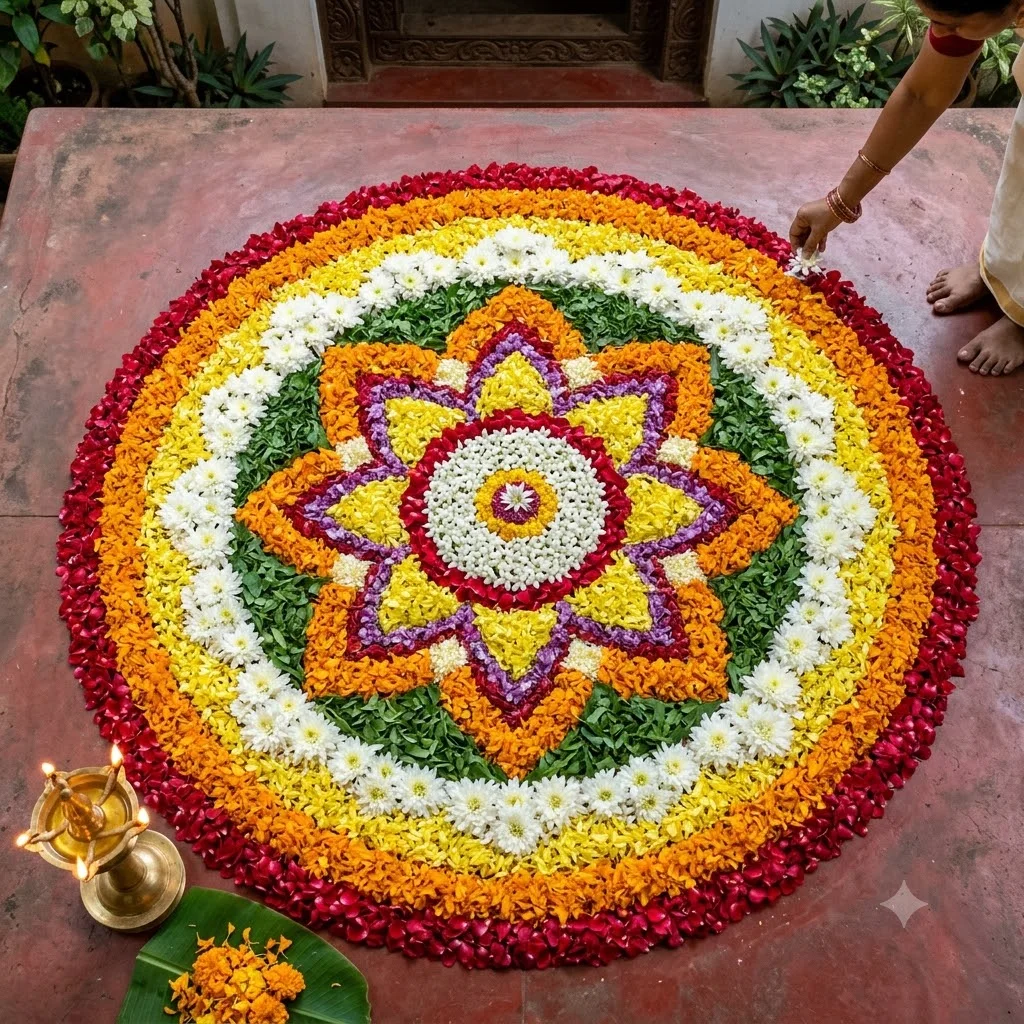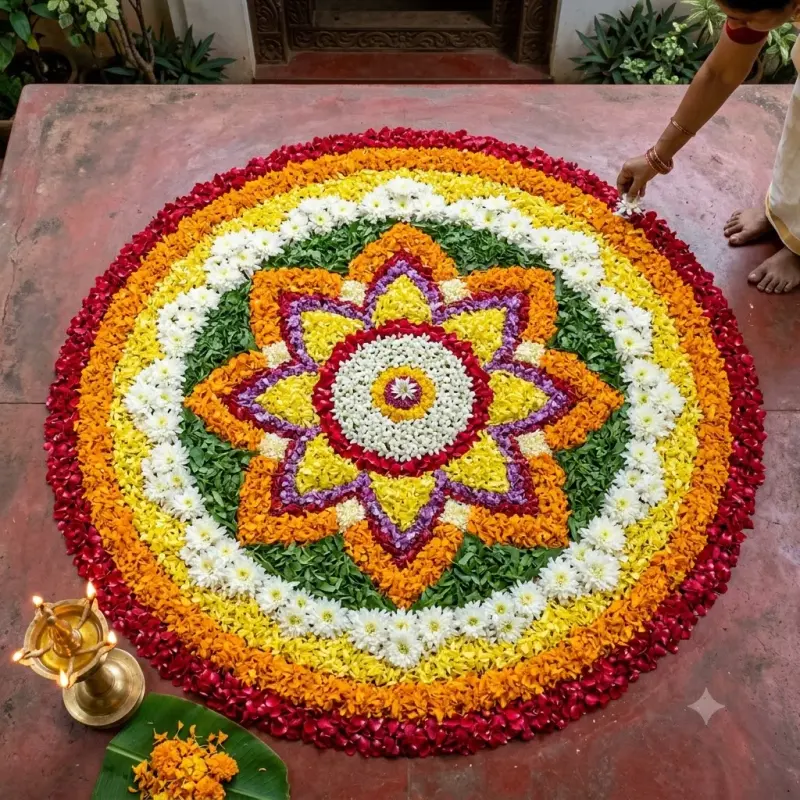
Onam pookalam top-down flower carpet
A top-down photo of an intricate Onam pookalam made of fresh flower petals, with a lit brass lamp. Paste this prompt into ChatGPT, Gemini or Grok, change the parts in brackets to suit you, and generate.
- Written for
- ChatGPT, Gemini, Grok
- Status
- Tested 27 Sep 2026 in Gemini app (web), Flash mode with built-in image generation
- Test settings
- Default copy text pasted unchanged into a new Gemini chat. No reference image. First result used; only converted to WebP.
- Variability
- Layout, colours and small details change between runs. Gemini adds a small sparkle watermark in the corner.
Prompt
Scene: a finished Onam pookalam on the smooth courtyard floor of a traditional Kerala home in Thrissur, about 1.5 metres across, made entirely of fresh loose petals and leaves: concentric rings and a ten-layer star and lotus design in marigold orange and yellow, chrysanthemum white, deep red, purple and green leaf cuttings, with small white thumba flowers in the centre ring.
Moment or Pose: seen from directly above; a lit brass nilavilakku lamp stands at one edge and a banana leaf with a few extra petals rests near the rim; bare feet and a hand placing one last petal just at the frame edge.
Light: soft overcast morning daylight, even and shadowless, petals looking dewy and real.
Camera: top-down, 35mm equivalent, everything sharp from edge to centre.
Style: crisp documentary still-life photography, true-to-life flower colours, visible petal texture.
Format: square 1:1.
Avoid: plastic or fake-looking flowers, powder colours instead of petals, broken symmetry, warped circles, extra fingers, text, logos or watermarks.
Customise
For example: Thrissur.
For example: about 1.5 metres.
For example: ten-layer star and lotus.
Fields start with illustrative values; replace them with your own facts. The prompt updates as you type. Copy prompt copies your version.
How to use it
- Open an external image tool named above. Check Status for the provider actually tested.
- Paste the prompt. Replace anything in [BRACKETS] first, or use Customise.
- Send, then ask for small changes in follow-up messages.
How to use this prompt
- This prompt makes a new picture. Check the AI app named above and the real test recorded in Status.
- Fill Customise with what you want, or replace [BRACKETS] with the right details. Press Copy prompt and paste it into the image app you chose.
- When the picture is ready, check objects, hands, faces, writing and any detail that matters. Ask for one clear correction if something is missing.
Good to know
- Symmetry can wobble in complex patterns; ask for fewer rings if it looks uneven. Specific Kerala flowers may be swapped for similar-looking ones.