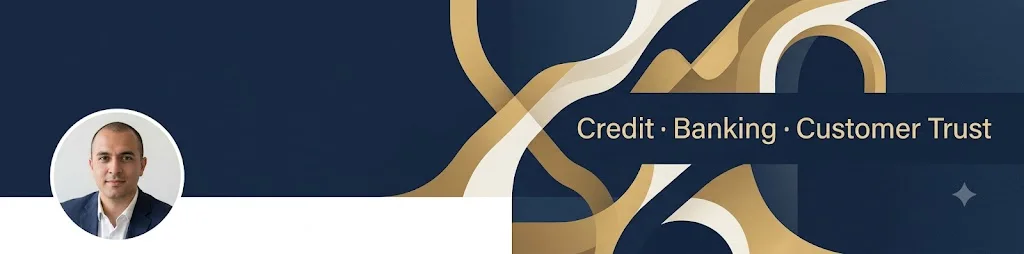
LinkedIn banner that matches your work
A clean 1584×396 background image with space kept clear for your profile photo. Paste this prompt into ChatGPT, Gemini or Grok, change the parts in brackets to suit you, and generate.
- Written for
- ChatGPT, Gemini, Grok
- Status
- Tested 28 Sep 2026 in Gemini app (web), Flash mode with built-in image generation
- Test settings
- Default copy text pasted unchanged into a new Gemini chat. No reference image. First result used; only converted to WebP.
- Variability
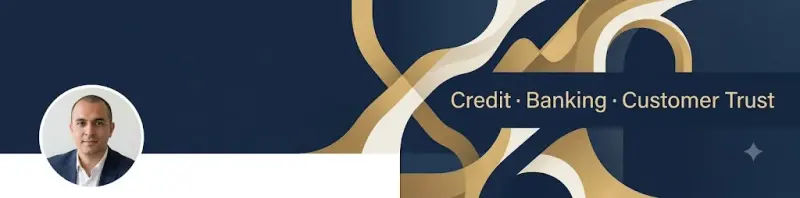
- Layout, colours and small details change between runs. Output came back at 1024×254, so resize to 1584×396 before uploading. In this run Gemini also drew a sample round profile photo in the lower-left; your real LinkedIn photo covers that spot. Gemini adds a small sparkle watermark in the corner.
Prompt
Create a LinkedIn profile background banner, 1584 x 396 pixels (4:1).

Theme: finance and trust, calm and professional
Colours: navy, warm gold and off-white
Style: clean, modern, minimal; subtle texture or abstract shapes, no busy photo.

Layout rules:
- Keep the lower-left area calm and empty, because the round profile photo covers it.
- Put the main visual interest on the right half.
- Optional short text on the right: "Credit · Banking · Customer Trust". If you add it, spell it exactly and keep it large and simple.

Avoid: logos of real companies, faces, stock-photo clichés like handshakes, tiny text, clutter near the edges.
Customise
For example: finance and trust, calm and professional.
For example: navy, warm gold and off-white.
For example: Credit · Banking · Customer Trust.
Fields start with illustrative values; replace them with your own facts. The prompt updates as you type. Copy prompt copies your version.
How to use it
- Open an external image tool named above. Check Status for the provider actually tested.
- Paste the prompt. Replace anything in [BRACKETS] first, or use Customise.
- Send, then ask for small changes in follow-up messages.
How to use this prompt
- This prompt makes a new picture. Check the AI app named above and the real test recorded in Status.
- Fill Customise with what you want, or replace [BRACKETS] with the right details. Press Copy prompt and paste it into the image app you chose.
- When the picture is ready, check objects, hands, faces, writing and any detail that matters. Ask for one clear correction if something is missing.
Good to know
- AI tools may not output the exact size. Crop or resize to 1584×396 before uploading, and check how it looks on mobile.