Halloween costume reveal script with a timed shot list
A short creator-video script with actions and timing rather than a generated clip. Paste this prompt into ChatGPT, Gemini, Claude or Grok, change the parts in brackets to suit you, and generate.
- Written for
- ChatGPT, Gemini, Claude, Grok
- Occasion
- Halloween · 31 Oct
- Status
- Tested 9 Oct 2026 in Grok, 9 Oct 2026 (one run; model id not exposed)
- Test settings
- The page's exact default prompt was run once in Grok on 9 Oct 2026. The default details already written on the page were the input. They are illustrative, not a record of a real event. ChatGPT and Gemini were not used. The first result was kept.
- Variability
- A different set of details, or another run, will change the wording. This is the first result for the defaults on this page.
Prompt
Write a Halloween costume reveal script, not a finished video.
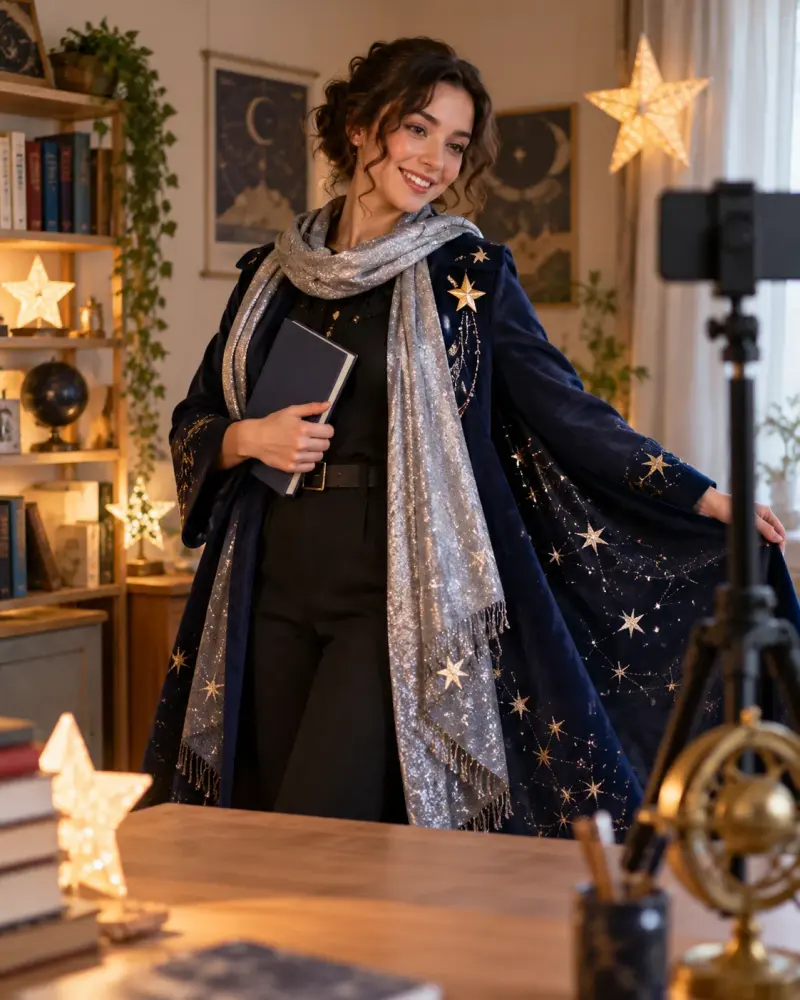
Costume and available props: original star librarian; navy coat, silver scarf and notebook
Video duration and platform: 20 seconds; YouTube Short
Available shots: desk close-up, scarf detail, full outfit, book closing

Give time range | shot | on-screen text | spoken line or silence. Make durations add up to the supplied length. Start with a visual hook and reveal the costume clearly. Use only supplied props and actions; do not claim transformation tools work instantly or invent product results. Include a version without speech and indicate where captions can be added. Keep music suggestions descriptive rather than naming a track as licensed.

Make each time range contiguous: start at 0, end at the requested duration, with no gaps or overlaps; transitions must fit inside the stated ranges. Show each shot's duration and verify the total for both spoken and silent versions. Keep spoken lines short enough for their allocated slots, label speech pacing as an estimate, and trim speech instead of extending the timeline. Ask for a duration if absent. Actual runtime needs a read-aloud/edit check.
Customise
For example: original star librarian; navy coat, silver scarf and notebook.
For example: 20 seconds; YouTube Short.
For example: desk close-up, scarf detail, full outfit, book closing.
Fields start with illustrative values; replace them with your own facts. The prompt updates as you type. Copy prompt copies your version.
Example output
Actual tested output. The notes used for this result are an example, not a real event. This box is not copied. Replace the notes above with your own before you paste the prompt.
Script only, not a finished video. Platform: YouTube Short. Length: 20 seconds. Costume: original star librarian. Props used: navy coat, silver scarf, notebook. Shots used: desk close-up, scarf detail, full outfit, book closing. No other props or actions.

Spoken version. Ranges are contiguous from 0 to 20 with no gaps or overlaps. Speech pacing is an estimate. Trim the line rather than extend the slot. Actual runtime needs a read-aloud and an edit check.

time range | shot | on-screen text | spoken line or silence | duration
0:00-0:03 | desk close-up of the notebook | Night desk | One book left. | 3 seconds
0:03-0:08 | scarf detail | Silver scarf | silence | 5 seconds
0:08-0:15 | full outfit, navy coat and silver scarf | Star librarian | This is the star librarian. | 7 seconds
0:15-0:20 | book closing | Closed. | silence | 5 seconds
Spoken-version total: 3 + 5 + 7 + 5 = 20 seconds.

The opening desk shot is the hook. The full outfit at 0:08-0:15 is the clear costume reveal. The spoken lines are short for their slots (estimate: the 3-second line is about three words; the 7-second line is about five words).

Silent version. Same ranges, shots, and on-screen text. Every spoken line becomes silence. Captions can repeat the on-screen text in the lower third inside each range: 0:00-0:03, 0:03-0:08, 0:08-0:15, and 0:15-0:20.
Silent-version total: 3 + 5 + 7 + 5 = 20 seconds.

Music suggestion, descriptive only, not a named or licensed track: a slow, quiet instrumental with a soft bell tone. Do not add it unless you have checked that you may use it.

No transformation effect is claimed. The costume is shown by the full outfit shot, using the coat, scarf, and notebook only.
How to use it
- Open ChatGPT, Gemini, Grok or Claude.
- Paste the prompt and replace the [BRACKETS] with your details.
- Review names, facts and the requested format; follow up with corrections or missing details.
How to use this prompt
- Fill Customise with your real details. Do not let the tool guess a missing fact. Write the missing information clearly if you need to.
- Press Copy prompt and paste it into the AI app named above. This page copies the prompt. The answer is created in the external app.
- Check names, facts, numbers, language and the format you asked for. If something is wrong or incomplete, ask for a correction.
Good to know
- This is a script and shot plan, not a tested/generated video. Confirm platform format and rights to music you use. Run once in Grok on 9 Oct 2026 using the illustrative defaults on this page. Check the draft against your own facts before you use it.
- Check facts before you rely on the answer.