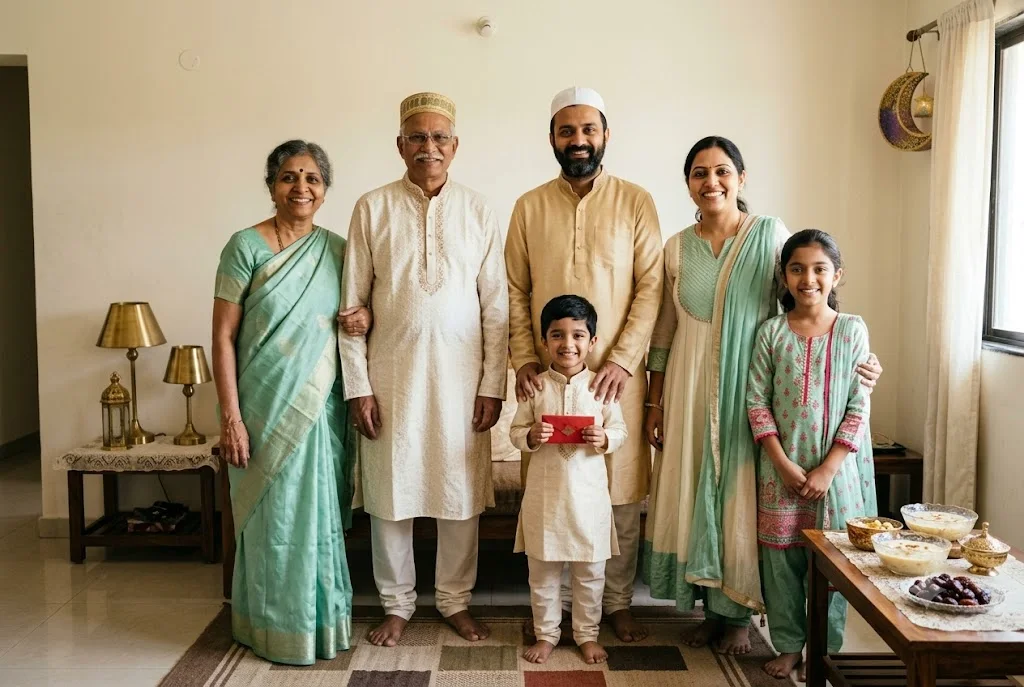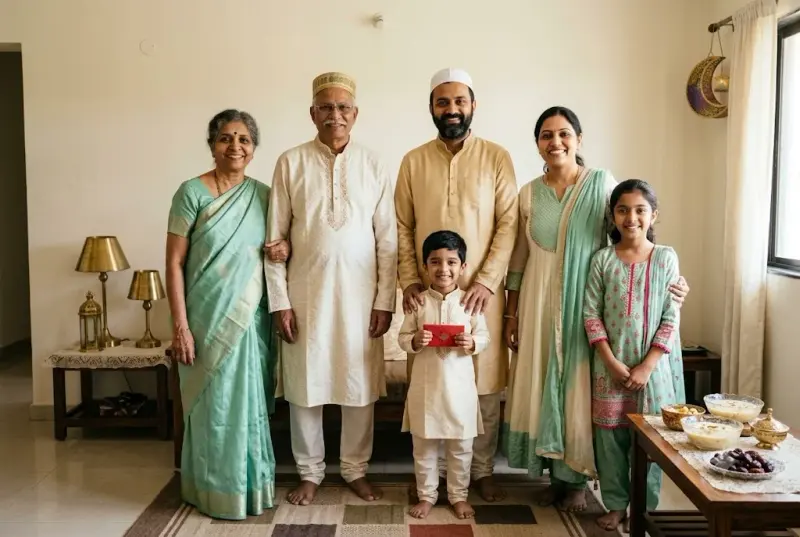
Eid al-Fitr morning family greeting photo
A warm family photo on Eid morning in new clothes, ready to share as your Eid Mubarak greeting. Upload a clear photo, paste this prompt into ChatGPT, Gemini or Grok, change the parts in brackets to suit you, and generate.
- Written for
- ChatGPT, Gemini, Grok
- You'll need
- A clear photo to upload
- Status
- Tested 28 Sep 2026 in Gemini app (web), Flash mode with built-in image generation
- Test settings
- Reference photo: an AI-generated picture of a fictional family of six (not a real person), made in Gemini for this test. Uploaded with the default copy text unchanged in a new Gemini chat. First result used; only converted to WebP.
- Variability
- Faces, poses and small details vary between runs; always compare the result with your own photo. Gemini adds a small sparkle watermark in the corner.
Prompt
Use the uploaded photo as the reference for everyone in it. Preserve each person's recognisable face, natural skin tone and relative height as closely as the model permits; keep the same number of people and check each person against the reference.
Scene: the family home on Eid al-Fitr morning after the Eid prayer, a courtyard or sitting room with cream walls, brass lamps and a rug with geometric patterns, a low table set with bowls of sheer khurma and dates, a faint crescent-moon lantern hanging nearby.
Moment or Pose: the family stands close together, elders in the centre, adults greeting each other warmly, a child holding a small envelope of eidi; relaxed natural smiles.
Clothing: new festive clothes in mint green, ivory and soft gold — kurta-pyjama and caps for the men, shalwar kameez or anarkali with dupatta for the women, modest and neatly pressed; keep any head coverings the people already wear in the reference.
Light: soft morning daylight through a window or courtyard arch, warm and gentle, no harsh flash.
Camera: 35mm, f/4, eye-level, everyone in focus.
Style: warm editorial family photography, natural colour, clean composition with calm space in the top area for a greeting to be added later.
Format: horizontal 3:2.
Avoid: changed or merged faces, missing or extra people, extra fingers, plastic skin, mosque interiors or people shown mid-prayer, religious text or calligraphy, any text or watermarks.
Customise
For example: cream walls, brass lamps and a rug with geometric patterns.
For example: sheer khurma.
For example: mint green, ivory and soft gold.
Fields start with illustrative values; replace them with your own facts. The prompt updates as you type. Copy prompt copies your version.
How to use it
- Open an external image tool listed above. The tested model, if any, is named in Status.
- Upload a clear reference photo of the subject. If it includes identifiable people, get their consent and check each face.
- Customise the fields, copy your version, paste it with the photo and generate.
- Compare the result with the reference. If a face, pose or detail changes, ask for one correction or try again; an exact match is not guaranteed.
How to use this prompt
- This prompt changes your own photo. Choose a clear reference photo, and get permission from people who can be identified.
- Upload the photo in the external AI app you chose. Fill Customise, press Copy prompt and paste the prompt with the photo.
- Compare the new picture with the original. Face, hands, clothes and pose can change. An exact likeness is not guaranteed.
Good to know
- Group photos can blend faces or change the number of people; check everyone and regenerate if anyone looks different. Add the greeting text yourself afterwards for correct spelling.
- Use reference photos you have the right to use; get consent from identifiable people.