Slow-motion coffee pour for your café
A rich, steamy pour shot to use as a menu loop or reel opener. Paste this prompt into Gemini or Grok, change the parts in brackets to suit you, and generate.
- Written for
- Gemini, Grok, Other video models
- Status
- Tested 9 Oct 2026 in Grok Imagine video (9 Oct 2026; model id not exposed)
- Test settings
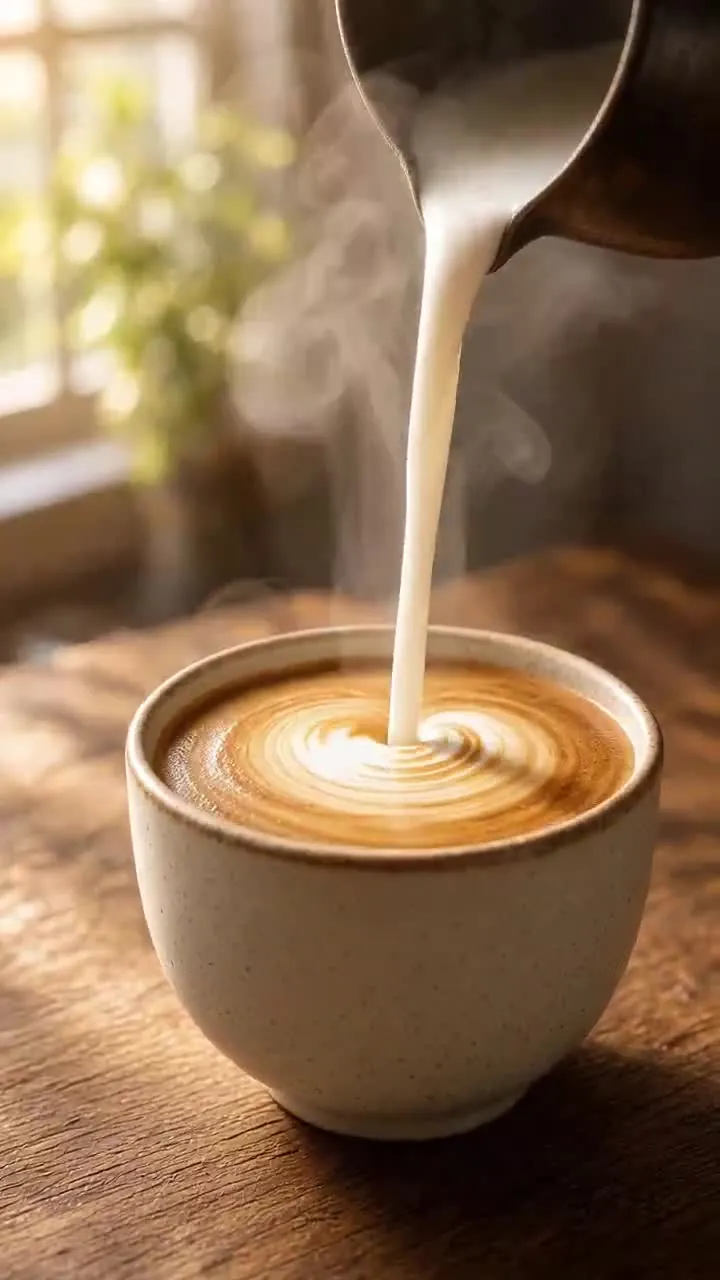
- Exact default prompt text, with the bracket set to its published default, was submitted on 9 Oct 2026 in Grok Imagine video. Text-to-video, no uploaded photo. Duration 6 seconds, vertical 9:16, 720p, first result kept. Re-encoded to H.264 with no creative edits. A still frame from that clip is the example image. ChatGPT and Gemini were not used. Liquids can still splash; this take has a small swirl, not a clean pour in every frame.
- Variability
- Another run can change the cup, crema, steam and camera move. This 6-second clip is one take, not a guarantee.
Prompt
Generate a 6-second slow-motion video.

Scene: hot milk into an espresso to make a latte being poured into a ceramic cup on a wooden counter, early morning light.
Motion: liquid flows smoothly, a gentle swirl forms, steam curls upward.
Camera: close-up, slight slow dolly to the right.
Look: warm tones, shallow depth of field, crisp detail on the pour.
Format: vertical 9:16.

Avoid: spills, splashes out of the cup, flicker, text, hands appearing.
Customise
For example: hot milk into an espresso to make a latte.
Fields start with illustrative values; replace them with your own facts. The prompt updates as you type. Copy prompt copies your version.
How to use it
- Choose a video-generation tool that accepts the required input. Availability depends on the tool and your account.
- Paste the prompt and generate.
- Make two or three takes and keep the best.
How to use this prompt
- Choose an external video app that can accept this input. Whether that works depends on the app and your account.
- Fill in your details, press Copy prompt, paste it into the external app and generate the video.
- Play the whole video and check movement, faces, hands, objects and the change from start to end. Do not treat a still preview as the finished video.
Good to know
- Liquids are still hard for video models. Generate two or three takes and keep the best.