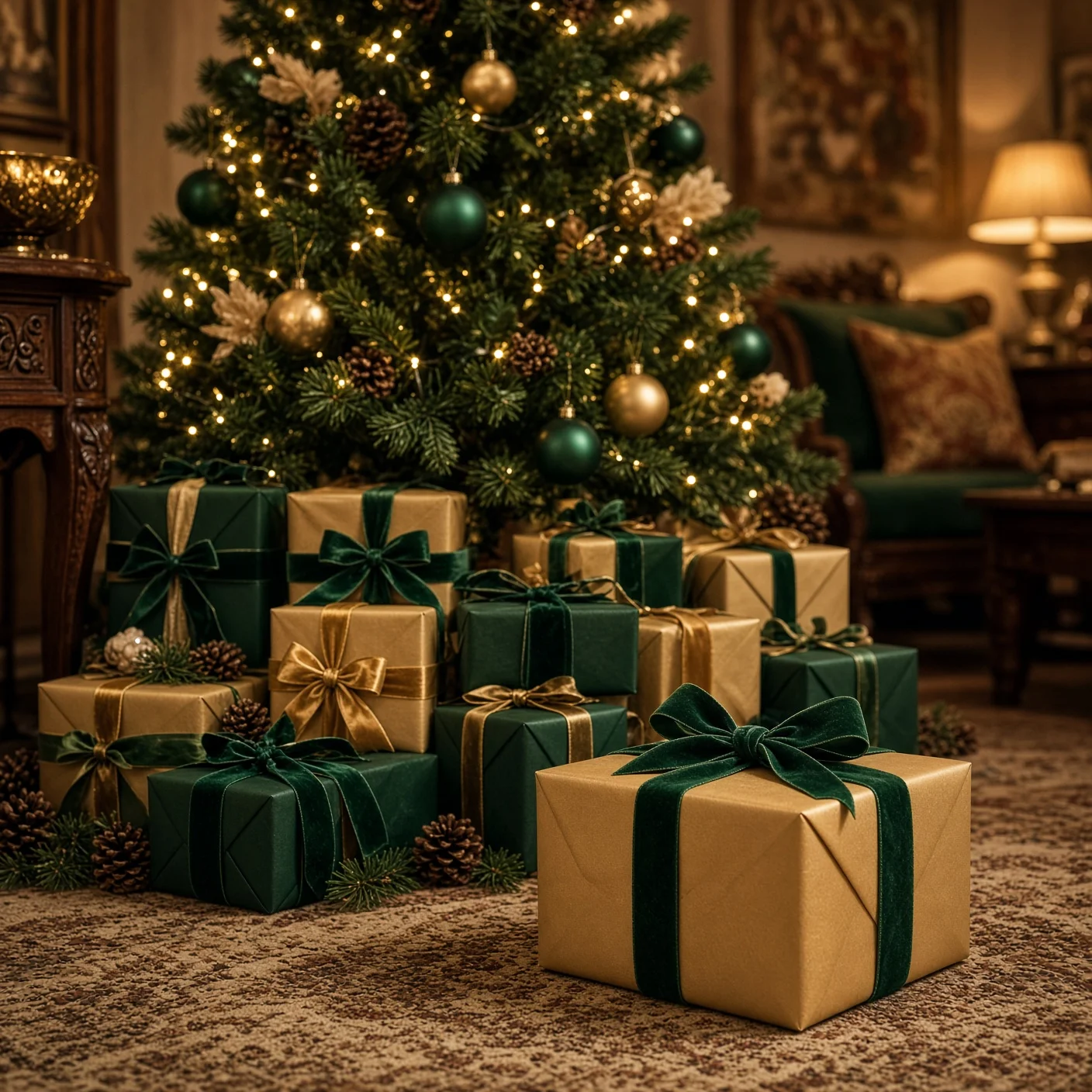
Christmas gifts under the tree
A rich festive image of wrapped gifts under a glowing Christmas tree, with no people. Paste this prompt into ChatGPT, Gemini or Grok, change the parts in brackets to suit you, and generate.
- Written for
- ChatGPT, Gemini, Grok
- Occasion
- Christmas · 24 – 25 Dec
- Status
- Tested 8 Nov 2026 in Grok Imagine
- Test settings
- No reference image. Default copy text unchanged. Aspect ratio square 1:1. First result used; only converted to WebP at 1408×1408, not upscaled.
- Variability
- Layout, colours and small details vary between runs.
Prompt
Scene: a decorated Christmas tree in a cosy imagined Indian living room, surrounded by neatly wrapped gifts in emerald green and champagne gold paper, velvet ribbons, pinecones and soft decorations; no people or animals.
Moment or Pose: a still life with gifts under the lower branches and one gift in the foreground.
Light: warm golden fairy lights, soft shadows, gentle reflections on the wrapping paper.
Camera: 50mm, low angle, sharp foreground gifts, soft background blur.
Style: photorealistic Christmas editorial photography, warm cinematic colour grading.
Format: square 1:1.
Avoid: people, hands, text, readable gift tags, logos, watermarks, branded packaging, floating objects.
Customise
For example: emerald green and champagne gold.
For example: warm cinematic.
Fields start with illustrative values; replace them with your own facts. The prompt updates as you type. Copy prompt copies your version.
How to use it
- Open an external image tool named above. Check Status for the provider actually tested.
- Paste the prompt. Replace anything in [BRACKETS] first, or use Customise.
- Send, then ask for small changes in follow-up messages.
How to use this prompt
- This prompt makes a new picture. Check the AI app named above and the real test recorded in Status.
- Fill Customise with what you want, or replace [BRACKETS] with the right details. Press Copy prompt and paste it into the image app you chose.
- When the picture is ready, check objects, hands, faces, writing and any detail that matters. Ask for one clear correction if something is missing.
Good to know
- Ribbons and ornaments can have small distortions; zoom in before using.